
Predictive Bid Optimization: How AI Uses 15 Dimensions to Optimize Amazon PPC
15 factors. 5 days ahead. Fully automated.
Most Amazon PPC tools optimize bids based on a single metric — ACoS. If ACoS is too high, the bid goes down. If it's too low, it goes up. This ping-pong game is called "rule-based optimization" — and it no longer works in 2026.
Predictive bid optimization takes a fundamentally different approach: It analyzes 15 factors simultaneously — from time of day and day of week to inventory levels and Buy Box status to seasonal patterns — and adjusts bids 5 days in advance. Not reactive. Not rule-based. Predictive.

Contents
What is predictive bid optimization?
Predictive bid optimization uses machine learning models to forecast future market conditions and proactively adjust bids — before your ACoS deteriorates.
Unlike rule-based tools that only react once a threshold is exceeded (e.g., "If ACoS > 30%, lower bid by 10%"), predictive AI recognizes the trend 3–5 days ahead and acts proactively.
The result: Less budget waste, more stable ACoS values, and higher profitability — without manual intervention.
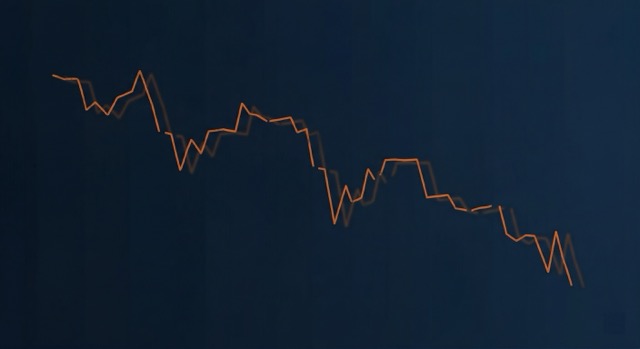
Reactive vs. predictive: The key difference
A simple analogy helps understand the difference: A rule-based tool is like a driver who only brakes when they see the red light. Predictive AI recognizes that the light will turn red in 200 meters — and adjusts speed beforehand.
Time delay
Rule-based tools react 24–72 hours after the change. During this time, your budget burns.
One-dimensionality
Most tools optimize only on ACoS or ROAS — ignoring 14 other factors that influence success.
Missed opportunities
When a competitor loses the Buy Box on Tuesday, a reactive tool notices it Thursday at the earliest. Predictive AI exploits the gap immediately.
The 15 dimensions in detail
MarketplAIce's predictive bid optimization analyzes 15 factors in real time. Each dimension flows weighted into the bid decision — not in isolation, but in combination.

1. Click-Through Rate (CTR)
CTR shows how relevant your ad is for the search query. If CTR drops, the bid is adjusted before ACoS rises. If CTR increases, the AI leverages the momentum and raises bids strategically.
2. Conversion Rate (CVR)
Conversion rate measures how many clicks lead to purchases. When CVR falls — e.g., due to a bad review or price increase — the AI proactively lowers bids to avoid budget waste.
3. ACoS Trend
Not the current ACoS matters, but its direction. If ACoS rises slightly over 3 days, the AI recognizes the trend and intervenes before it explodes.
4. Time of Day
Shopping behavior varies significantly by time of day. The AI learns when your target audience is most likely to buy — and raises bids during those slots while reducing them at night.
5. Day of Week
Different products sell on Mondays vs. Fridays. The AI recognizes day-specific patterns and optimizes bids accordingly — automatically and individually per ASIN.
6. Seasonality
Prime Day, Black Friday, Christmas — but also micro-seasonal trends like back-to-school or gardening season. The AI detects seasonal demand shifts and adjusts bids 5 days in advance.
7. Inventory Level
Why bid aggressively when you only have 12 units left? The AI considers current stock and reorder times — and automatically reduces bids when inventory is low.
8. Buy Box Status
No Buy Box means no conversions. The AI detects Buy Box losses and wins in real time and adjusts bidding strategy immediately.
9. Competitive Density
How many competitors are bidding on the same keyword? When competition increases, the AI raises bids strategically — when it decreases, it takes advantage of lower CPCs.
10. BSR Trend (Best Seller Rank)
BSR shows sales velocity relative to the category. A rising BSR (= worse position) may indicate declining demand — the AI reacts before ACoS suffers.
11. Keyword Relevance
Not every keyword converts equally well. The AI evaluates the semantic relevance between search query and product — and allocates budget to the most profitable keywords.
12. Ad Placement
Top-of-Search vs. Rest-of-Search vs. Product Pages — each placement has different CPCs and CVRs. The AI optimizes bids per placement, not universally.
13. Margin Threshold
A bid should never be so high that you lose money on a sale. The AI knows your margins and sets hard floors — automatically and per product.
14. Campaign Type
Sponsored Products, Sponsored Brands, Sponsored Display — each campaign type has different optimization levers. The AI adapts its strategy per type.
15. Historical Performance
The AI learns from your own history: Which bid levels produced the best results in the past? This feedback loop becomes more accurate with each week.
How the 15 dimensions work together
The true strength lies not in individual dimensions, but in their combination. A single factor can be misleading — but 15 factors together provide a clear picture.
📈 Scenario: Monday, 2:00 PM, Prime Week lead-up
- → CTR rising (more purchase interest)
- → CVR stable (listing converts well)
- → Inventory high (500+ units)
- → Competitor reducing bids (BSR falling)
- → Seasonal trend positive (Prime Week in 4 days)
✅ Result: The AI raises bids aggressively to exploit the favorable market position — 5 days before competitors react.
📉 Counter-scenario: Friday, 10:00 PM, off-season
- → CTR dropping (low purchase intent in the evening)
- → CVR falling (price increase yesterday)
- → Inventory low (28 units)
- → 3 new competitors (competitive density rising)
- → Seasonal trend negative (demand declining for 5 days)
⛔ Result: The AI significantly lowers bids and shifts budget to more profitable ASINs — before you see an exploded ACoS on Monday.
Calculation example: Predictive vs. reactive
How does the difference impact your numbers? A hypothetical example with realistic values:
| Metric | Rule-based | Predictive AI |
|---|---|---|
| Monthly ad spend | €5,000 | €5,000 |
| Avg. ACoS | 32% | 19% |
| Ad-attributed revenue | €15,625 | €26,316 |
| Wasted budget | ~€1,200/month | ~€200/month |
| Reaction time | 24–72 hours | Proactive (5 days ahead) |
| Dimensions | 1–2 (ACoS, ROAS) | 15 simultaneously |

Try predictive bid optimization for free
14 days free — no credit card, no contract. Experience the difference between reactive and predictive.
How to get started with predictive bid optimization
Step 1: Connect your account
Connect your Amazon Seller Central account with MarketplAIce. The AI needs access to your campaign data to analyze all 15 dimensions.
Step 2: Define your goals
Set your target ACoS and daily budget. The AI optimizes within these boundaries — you stay in control at all times.
Step 3: Learning phase (7–14 days)
During the first 1–2 weeks, the AI analyzes your historical data and learns the specific patterns of your products. Initial optimizations are already implemented during this phase.
Step 4: Fully automated optimization
After the learning phase, optimization runs fully automatically. The AI adjusts bids 24/7 — based on all 15 dimensions simultaneously.
Step 5: Monitoring and fine-tuning
Through the dashboard, you can see every bid decision and its reasoning. You can intervene at any time, adjust goals, or exclude specific campaigns.
Tip for agencies: In agency mode, you can set individual ACoS targets for each client. The white-label dashboard shows your clients the results — under your brand.
What you can do today
Take action now
- ✅ Check if your current tool optimizes more than 2 dimensions
- ✅ Analyze your ACoS trend over the last 30 days
- ✅ Identify keywords with high spend and low ROAS
- ✅ Verify whether your tool considers Buy Box status
Or: Use AI
- 🚀 Try MarketplAIce free for 14 days
- 🚀 15-dimension optimization active immediately
- 🚀 Results visible after 7–14 days
- 🚀 No manual rule setup required
Try predictive bid optimization for free
14 days free — no credit card, no contract. Experience the difference between reactive and predictive.